Build apps and websites like a real developer
Vibe coding is the future—and real developers do it in their own terminal. Get Claude Code, Gemini CLI, or Codex running on your machine in minutes.
Free download · macOS 14+ (Intel & Apple Silicon) · Some AI models require paid accounts
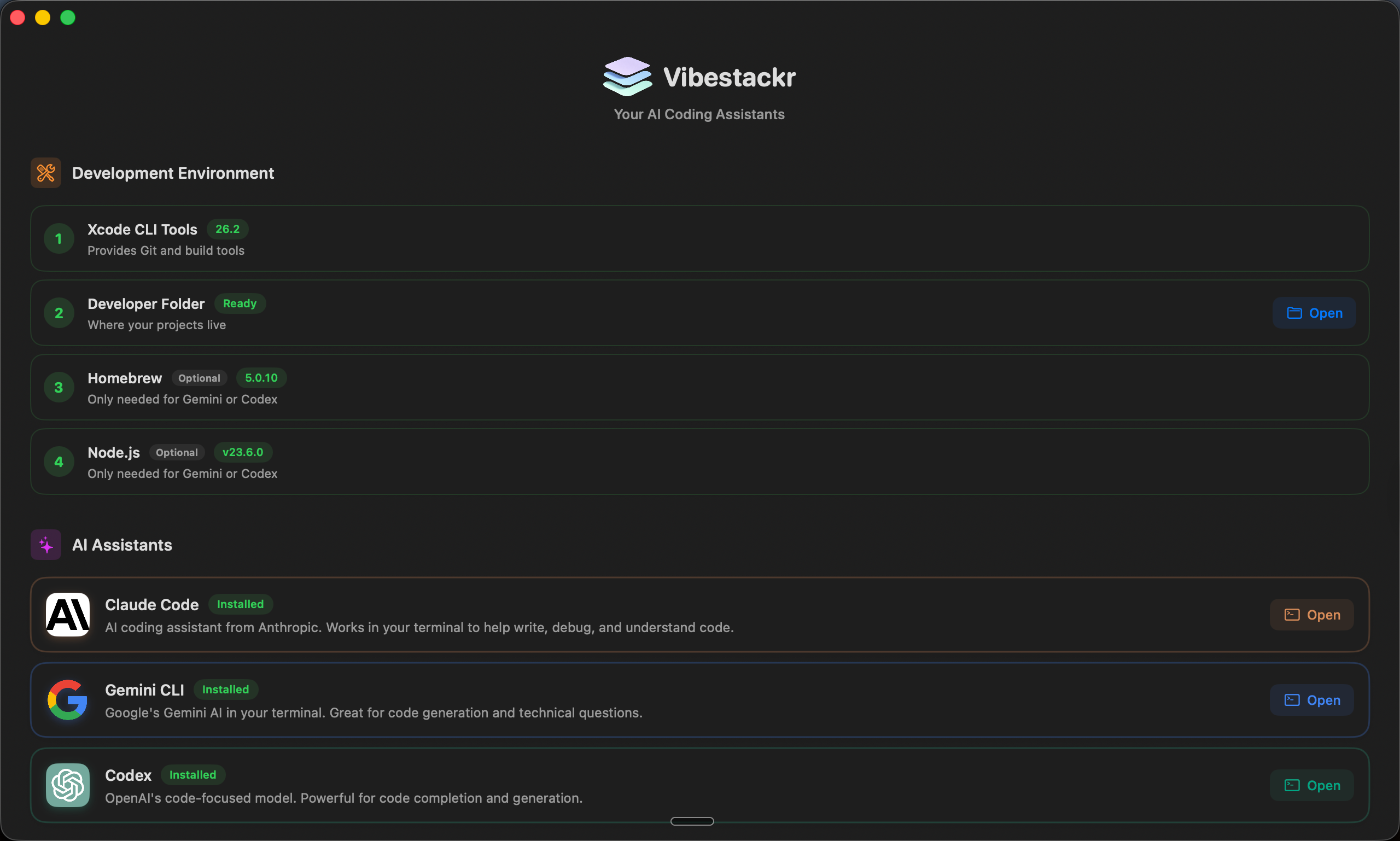
Clean interface. Step-by-step guidance.
Grow out of the sandbox
Tools like Lovable, Replit, and v0 are amazing for getting started. But real developers run AI models directly on their machines.
 Lovable
 Replit
 v0
v0
Great for learning, but limited control & monthly fees
 Claude
 Gemini
 Codex
Codex
Full control. Own your code. Real developer workflow.
Vibestackr gets you there in minutes. Download now!
Why use Vibestackr?
Start vibe coding in minutes, not hours. No setup headaches.
Free one-click install
No terminal knowledge needed. Pick your AI tool and start vibe coding immediately.
Zero config
We handle all the setup - Node.js, dependencies, project folders. You just describe what to build.
Perfect for non-coders
Never written code before? That's the point. Vibe coding lets you build apps with plain English.
Build faster
Stop debugging syntax. Start shipping features. Let AI handle the code while you focus on ideas.
Easy authentication
Sign in with your existing accounts. No API keys to manage - just click and start vibing.
Native Mac app
Beautiful SwiftUI app that gets you from zero to vibe coding in under 5 minutes.
Pick your vibe
Three world-class AI models. One-click install. Pick one or use all three.
Claude Code
by Anthropic
The thoughtful one. Great at understanding context and building complete features.
Learn more →Gemini CLI
by Google
The fast one. Quick responses and great for rapid prototyping and iterating on ideas.
Learn more →Codex
by OpenAI
The classic. OpenAI's battle-tested code model that started the vibe coding revolution.
Learn more →Frequently asked questions
Everything you need to know about vibe coding
Vibe coding is a new way to build software by describing what you want in plain English. Instead of writing code yourself, you tell an AI assistant what to create—like "build me a landing page with a signup form"—and it writes the code for you. It's perfect for non-programmers who want to build real apps.
Not at all. Vibestackr is designed for people with zero coding experience. The AI tools handle all the technical details. You just describe what you want to build in plain English, and the AI writes production-ready code.
All three are AI coding assistants that run in your terminal. Claude Code (by Anthropic) excels at understanding context and building complete features. Gemini CLI (by Google) is fast and great for rapid prototyping. Codex (by OpenAI) is the original that pioneered AI coding. You can install all three and use whichever fits your style.
Yes, Vibestackr is completely free. However, the AI tools themselves may require paid accounts. Claude Code requires a Claude Pro subscription ($20/mo), Gemini CLI has a generous free tier, and Codex requires an OpenAI API key with usage-based pricing.
Running AI coding tools on your own machine gives you full control over your code and projects. Unlike web sandboxes, you own everything you create, can use any framework or library, and work with your existing files. It's how professional developers work.
Almost anything: websites, web apps, mobile apps, automation scripts, data analysis tools, APIs, browser extensions, and more. People have built SaaS products, e-commerce sites, and productivity tools—all by describing what they want in plain English.
Ready to start vibe coding?
 Vibestackr
Download Vibestackr for free and build your first app in minutes. No coding experience required.